Nitro-BOM

Demo and Purchased Software

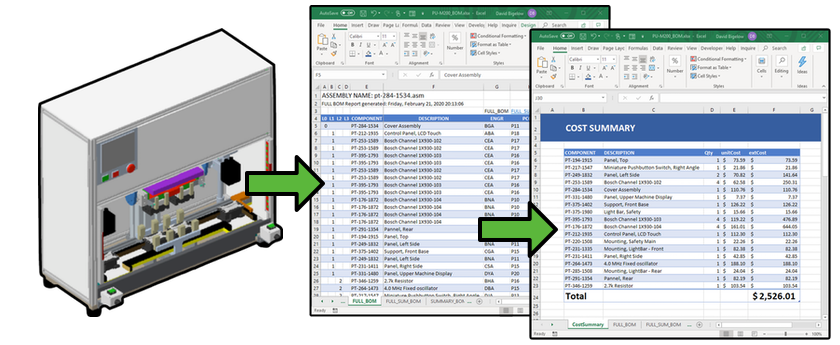
Nitro-BOM was developed to enable Pro/ENGINEER / Creo users to quickly extract assembly Bill Of Material (BOM) structures to Microsoft Excel, manipulate them, and push back changes.

Nitro-BOM enables you to do amazing things like modify, create, delete and even change the designation status of model parameters within a single part or multiple items in an assembly from Excel! This bi-directional capability is one of the biggest reasons our customers purchase Nitro-BOM.

If you hate reading, watch the following videos!
(Each is only a few minutes long…)

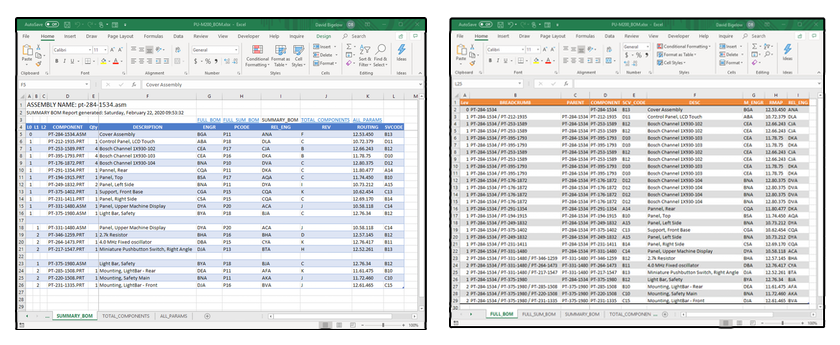
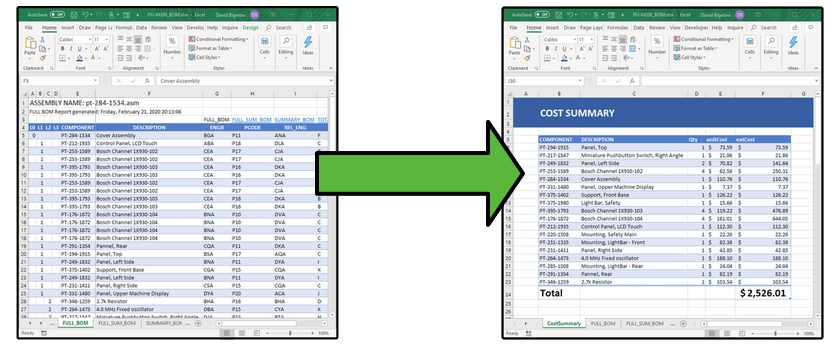
Nitro-BOM has multiple export options and you can filter and format your reports easily. With the simple click of a button, you can get the following static reports exported immediately (including multiple export configuration options and settings):

  • FULL BOM – The full Assembly Structure!
  • Full-Summary BOM – The Assembly Structure condensed with Item quantities.
  • Summary BOM – The full Assembly Structure segregated by sub-Assemblies w/ Item quantities.
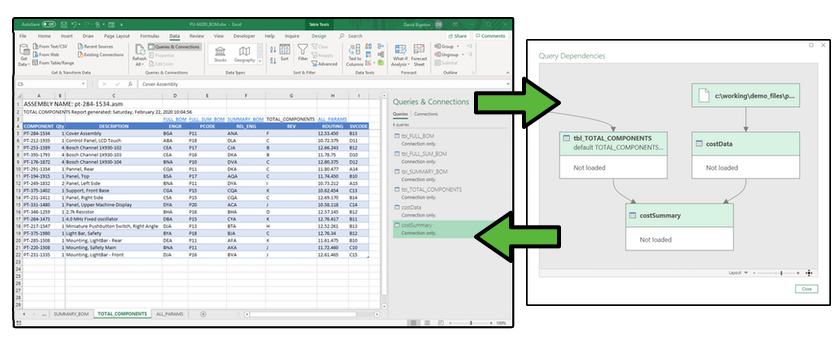
  • TOTAL Components BOM – An itemized list of every distinct Item/sub-Assembly with total quantities.

Taking it to 11

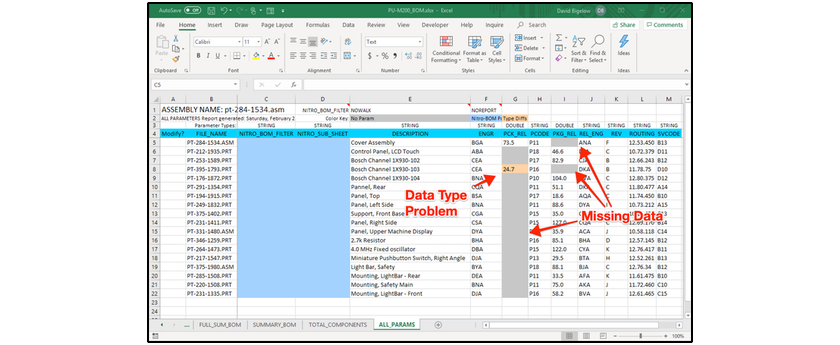
Exporting information to Excel is a huge timesaver, but what if you want to add/remove or change/cleanup data within your assembly models? This is where Nitro-BOM shines. Nitro-BOM can export a special report called the “ALL PARAMS” Report. This single-page report of information writes out ALL Models (Parts and Assemblies) and ALL Parameters into a SINGLE spreadsheet! So what can you do with this?! MAKE CHANGES of course! Here is an example of what you can do:

  • Modify Parameter Values – Globally in your Assembly or selectively Model-by-Model
  • Create Parameters – Globally in your Assembly or selectively Model-by-Model
  • Delete Parameters – Globally in your Assembly or selectively Model-by-Model
  • Designate/Un-Designate Parameters – Globally in your Assembly or selectively Model-by-Model
  • Designate/Un-Designate Parameters – Globally in your Assembly or selectively Model-by-Model
  • Renaming Models/Drawings – This is risky with released items in your PDM/PLM System. However, for initial renaming of conceptual designs, or 3rd party model structures, to official part numbers this saves a TON of time. It can be used Globally in your Assembly or selectively Model-by-Model, all within the same ALL Params report

Editing Assembly and Part Parameters has never been faster than with Nitro-BOM! Simply make your changes in the ALL PARAMS Report, flag them for change, and IMPORT them back to Pro/ENGINEER / Creo and you are done!

This tool pays for itself by quickly exporting accurate information, that can be used by other people/business systems within your company. However, most of its benefits are in its ability to clean up model data by adding/deleting parameters. This is essential for accuracy in PDM/PLM, drawings or anywhere else accurate information is needed about models/drawings within your company (e.g. MRP).

NEW “QuickSync” Tab!!!

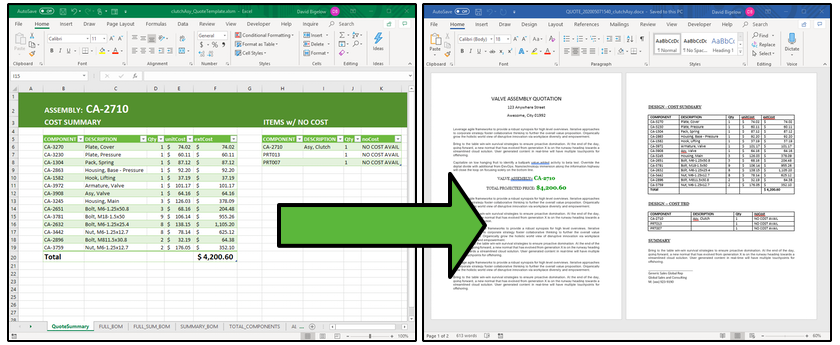
Imagine that you are responsible for keeping track of your Mechanical BOM and part of that requires an export from Pro/E / Creo to Excel (which Nitro-BOM was designed for). BUT, most of the other data is NOT in Pro/E / Creo, and is managed by other spreadsheets from other data sources, or is manually managed in another spreadsheet on a regular interval.

This is a BIG problem when your mechanical structure changes in order and quantity, AND all of that data needs to be aligned and updated constantly form the other data sources.

Most people MANUALLY migrate and update their Mechanical BOM with externally tracked data in other Workbooks/Worksheets.

This is a VERY time consuming and error prone process.

The NEW Capabilities in the “QuickSync” Tab enable you to do the following:

- Migrate and Synchronize Data between two worksheets in the same Workbook.
- Migrate and Synchronize Data between two worksheets in DIFFERENT Workbooks.
- Migrate and Synchronize Data by Specific Column Name(s) (e.g. A,B,C)
- Migrate and Synchronize Data by Specific Column Name(s) that is Mapped to Different Column Name(s) (e.g. A->C, B, C->D)

- Change a single or multiple value range of cells in a Row and “populate” them vertically across all other matching Rows with the same Part Number in the source Row.

The latest version also included NEW Support for the Excel XLSX File Format. :)